Traffic Report Plus Overview
Traffic Report Plus is a paid optional service that expands the functionality of the standard Traffic Report feature.
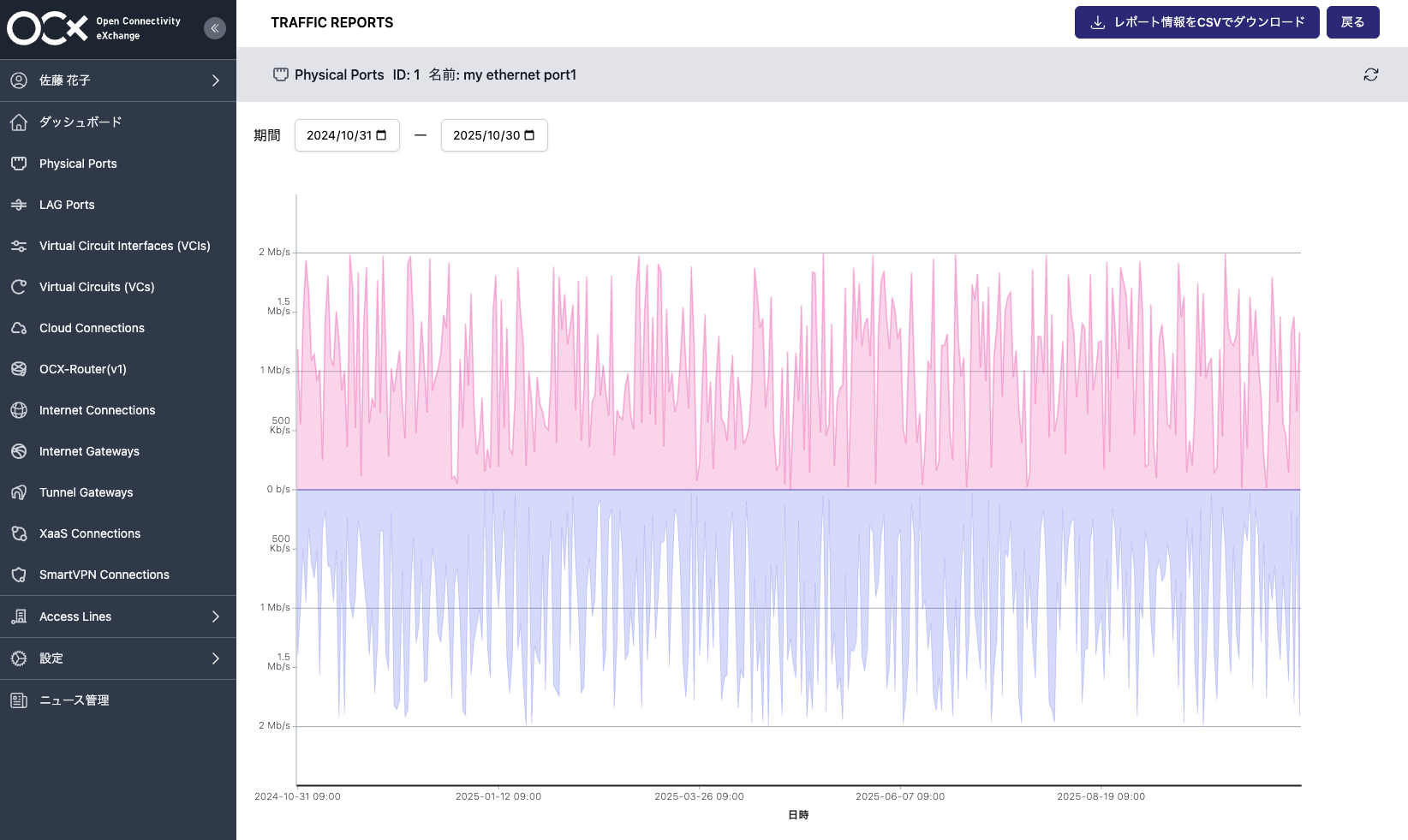
In addition to the basic features available in the free version, it enables data viewing over a longer period and more detailed analysis.
Additional Features of Traffic Report Plus
Traffic Report Plus provides the following additional features:
- 365-Day Graph Display: Review traffic history for up to one year.
- Custom Period Selection: View traffic data by specifying any arbitrary time range.
- CSV Download Feature: Download traffic data in CSV format for analysis in external tools.
While the free version is limited to 2-day, 7-day, and 30-day displays, Traffic Report Plus allows you to view up to 365 days of data for any specified period, enabling more in-depth traffic analysis.
Notes
- Please note that even with Traffic Report Plus, data from before January 23, 2025, cannot be viewed.
Procedure for Accessing Additional Features
- For steps to navigate to the graph display page, please refer to the Procedure for Viewing Traffic Reports.
- You can download traffic data in CSV format by clicking the [Download Report Info as CSV] button.
- You can specify the start and end dates for the graph display period using the button to the right of [Period] at the top left of the screen. The selection range can be from 365 days ago to the present.
- The granularity of the displayed data is shown in the table below:
Start Date / Duration Within 90 Days 91 Days or More Within 2 days from present Every 5 minutes - 3 to 7 days ago from present Every 15 minutes - 8 or more days ago from present Every 1 hour Every 1 day
- The granularity of the displayed data is shown in the table below:
Pricing, Purchase, and Cancellation
- For information on fees, please refer to the Traffic Report Pricing Structure.
- For instructions on how to purchase, please refer to Purchasing Traffic Report Plus.
- For instructions on how to cancel, please refer to Canceling Traffic Report Plus.