SIM Overview
A SIM is an IC card inserted into mobile devices such as smartphones. It contains recorded information including the phone number, subscriber information, and device identification, which enables authentication and encryption between the device and the OCX Mobile Access network.
Communication becomes possible when a SIM is linked to an Address Pool of a Virtual Mobile Gateway. For details, please refer to Linking SIMs to an Address Pool.
SIM Configuration Items
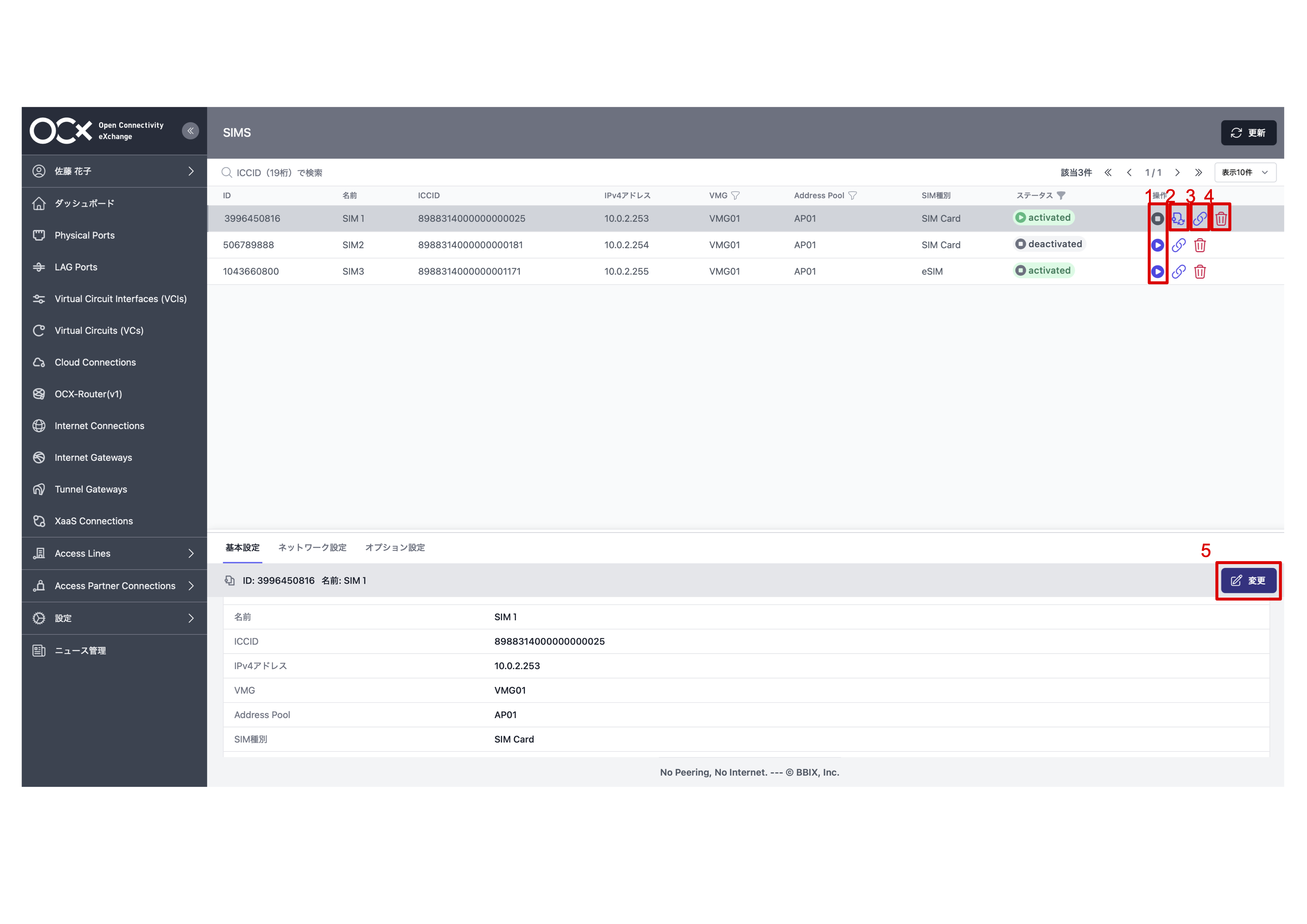
| No | Configuration Item | Description |
|---|---|---|
| 1 | Stop/Start Communication | Allows you to stop or start communication using the SIM. |
| 2 | Reattach | Allows you to reconnect the SIM. |
| 3 | Address Pool Settings | Allows you to configure the Address Pool for the SIM. |
| 4 | Delete | Allows for the deletion of the SIM. |
| 5 | Update | Allows for changing the SIM basic settings. |
*For details on operation methods, please refer to the change and decommissioning pages for each item.