Cross-Cloud Connectivity
Problem to Solve
Connecting AWS resources and Azure resources through a closed (private) network.
Solution with OCX
By configuring the necessary settings on the portal site, you can establish a closed network connection between public clouds.
OCX Resources
| Resource | Required Quantity |
|---|---|
| Cloud Connection | 4 |
| Virtual Circuit (VC) | 5 |
| Interface (Router Connection) | 6 |
| OCX-Router (v1) | 1 (Consisting of 2 instances) |
Structure
Conceptual Diagram
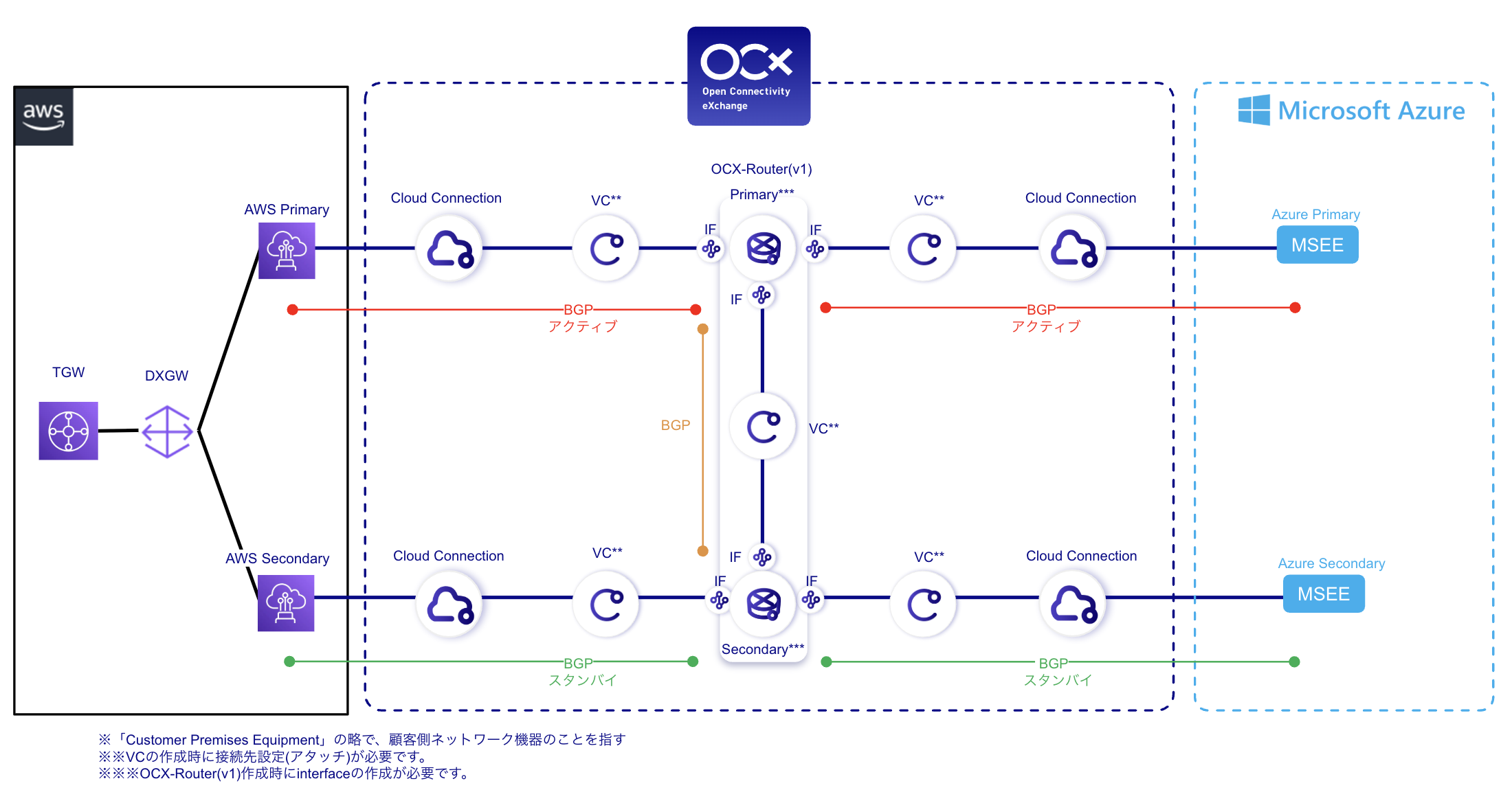
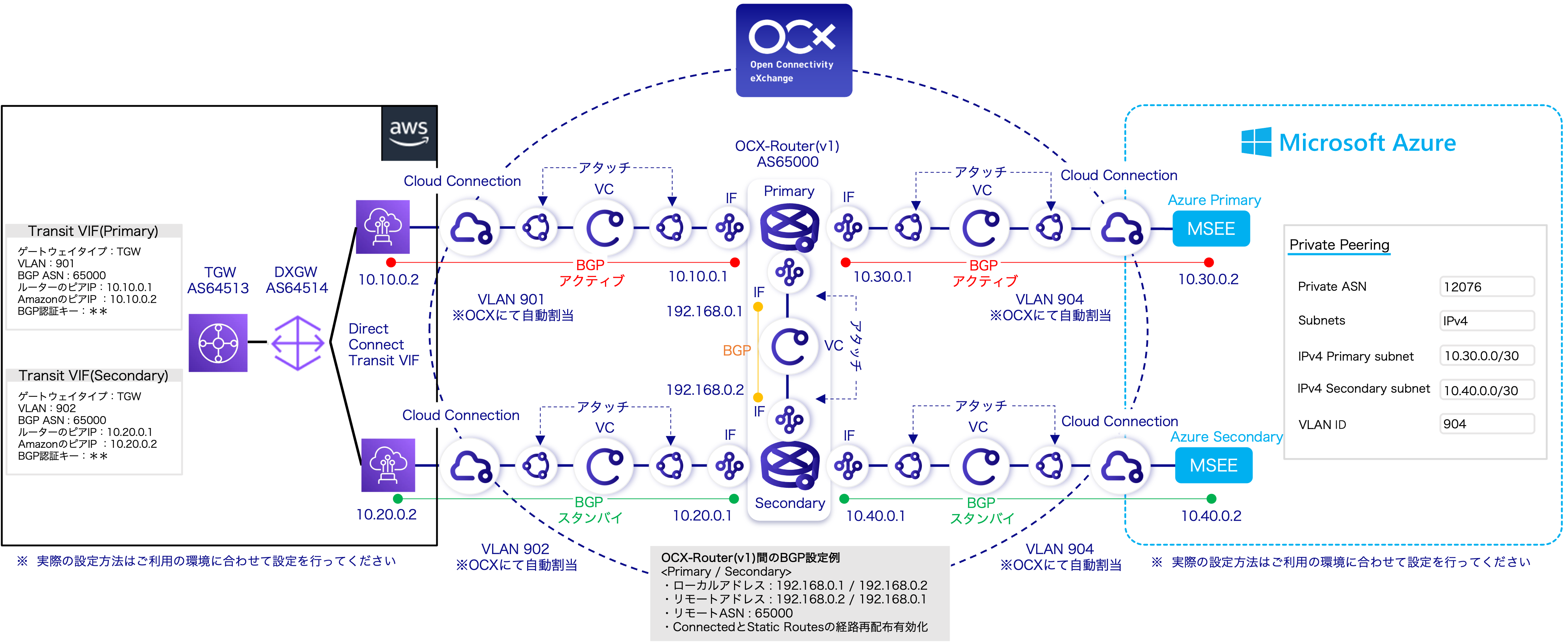
Detailed Configuration Diagram
Benefits
- Enables connectivity between clouds without routing through an on-premises environment.
- Enhances path redundancy by establishing a BGP connection between the Primary and Secondary instances of the OCX-Router.
Notes
- This configuration interconnects IaaS environments (AWS VPC and Azure VNet).
- This setup establishes a private connection between AWS DX Transit VIF and Azure ExpressRoute Private Peering. Communicable destinations and available services within each public cloud depend on the specifications of their respective direct connection features.
- In the BGP settings between OCX-Routers, ensure that Route Redistribution for Connected and Static Routes is enabled.
- For the Cloud Connection with Azure, the "Transfer Method to CPE" must be set to Single Tag (dot1q).
- Public clouds have limits on the number of routes they can receive. If the number of exchanged routes exceeds these limits, consider using the Route Aggregation feature on the OCX-Router (v1).