Connection with Azure ExpressRoute
Problem to Solve
Establish a direct connection from an on-premises environment to Microsoft Azure (hereinafter referred to as Azure). Understand the configuration differences between Azure and other cloud providers.
Solution with OCX
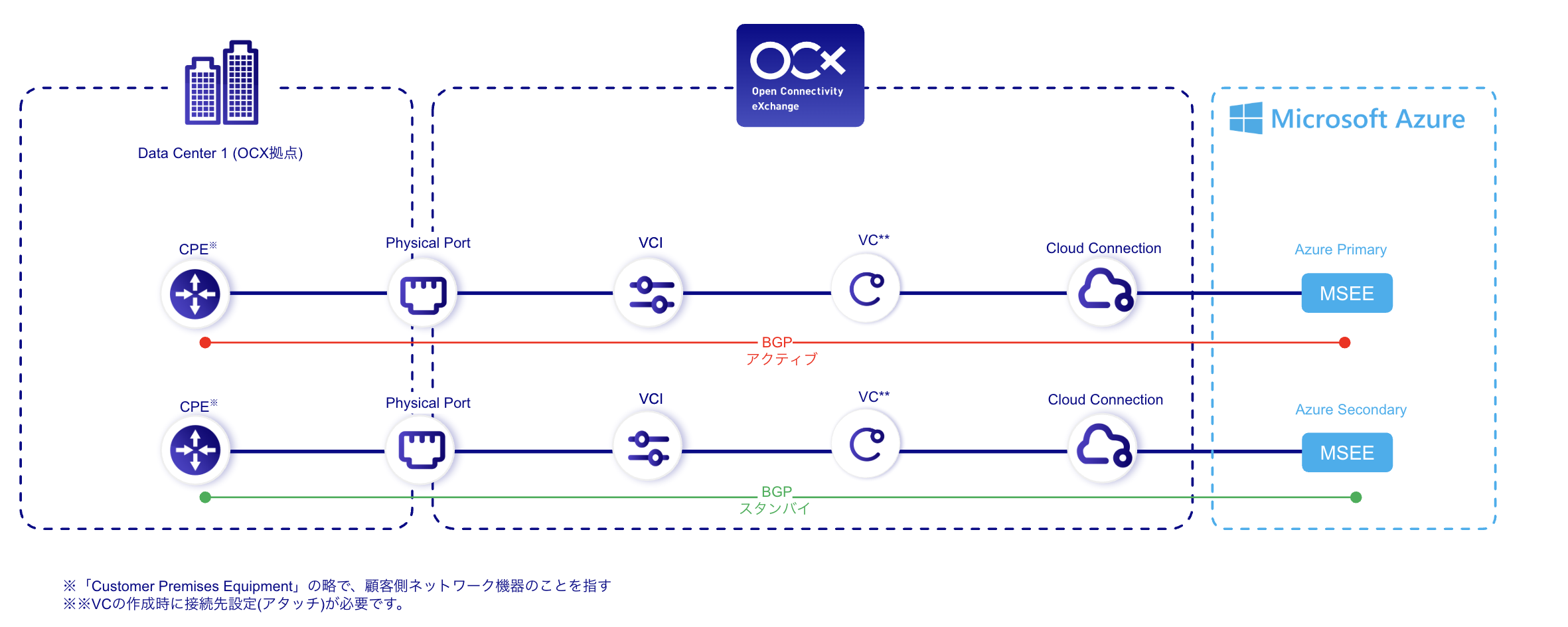
By preparing the equipment to connect to the OCX network and the data center's internal cross-connects, and then performing the necessary settings on the portal site, a direct connection from on-premises to Azure can be established.
OCX Resources
| Resource | Required Quantity |
|---|---|
| Cloud Connection | 2 |
| Virtual Circuit (VC) | 2 |
| Physical Port | 2 |
| VCI | 2 |
Structure
Conceptual Diagram
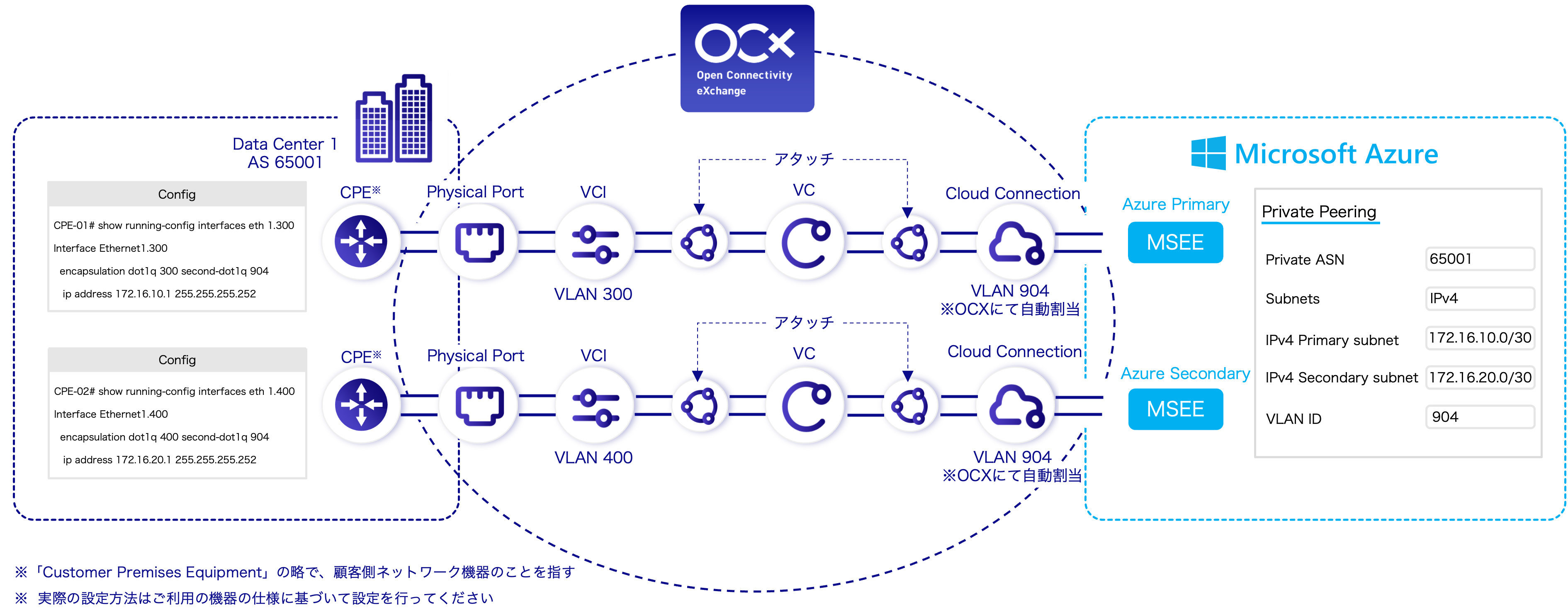
Detailed Configuration Diagram
Benefits
- Enables a secure and private connection by directly linking on-premises and Azure environments without going through the public internet.
- Allows for clear management of Primary and Secondary lines through the simple UI of the OCX Portal.
Notes
Unlike other cloud services, Azure uses Q-in-Q (IEEE 802.1ad) for its packet protocol. Therefore, the router on the on-premises side must be compatible with Q-in-Q.