Connection with Zscaler
Problem to Solve
Accessing Zscaler services through the OCX private network.
Solution with OCX
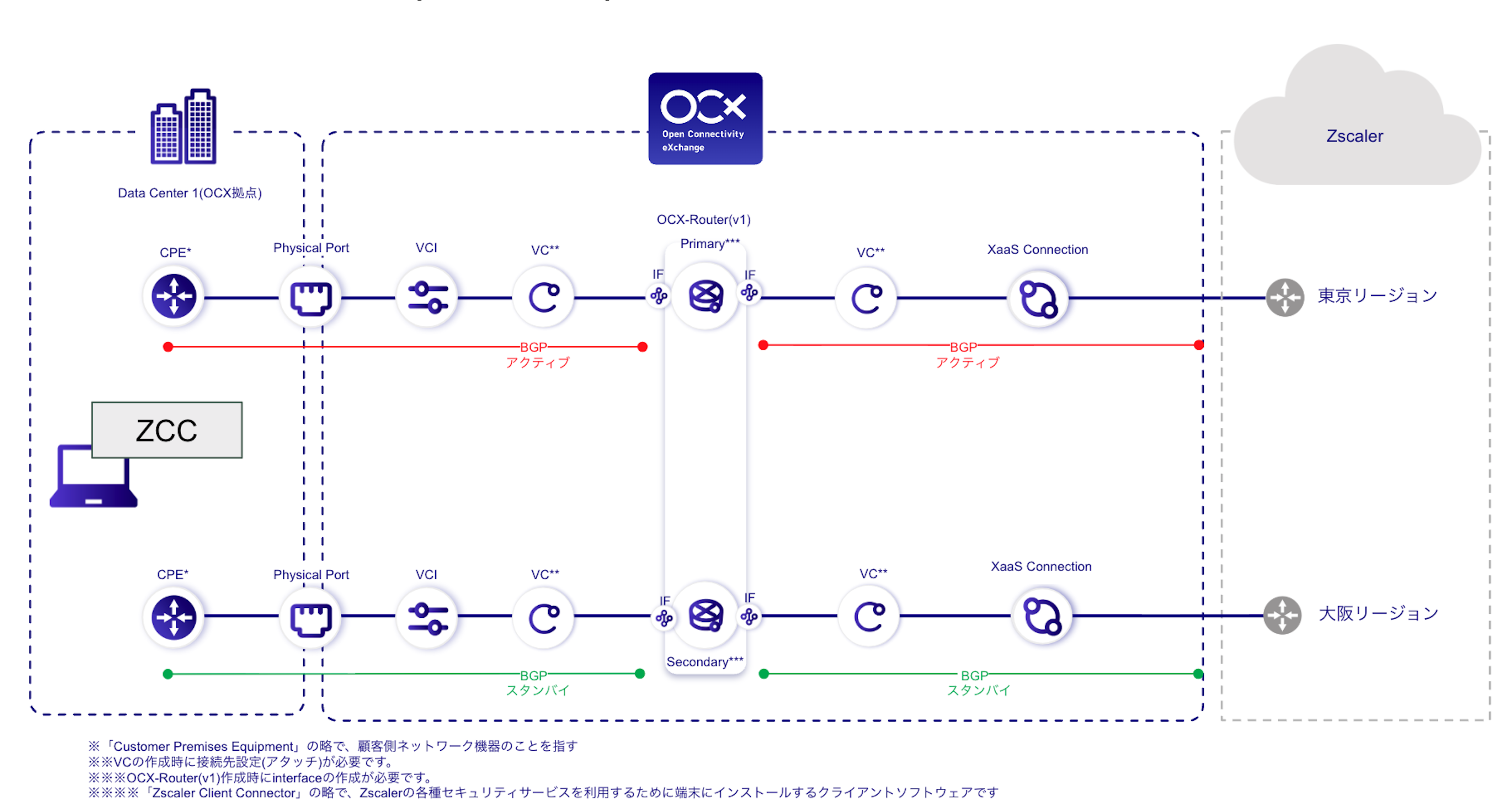
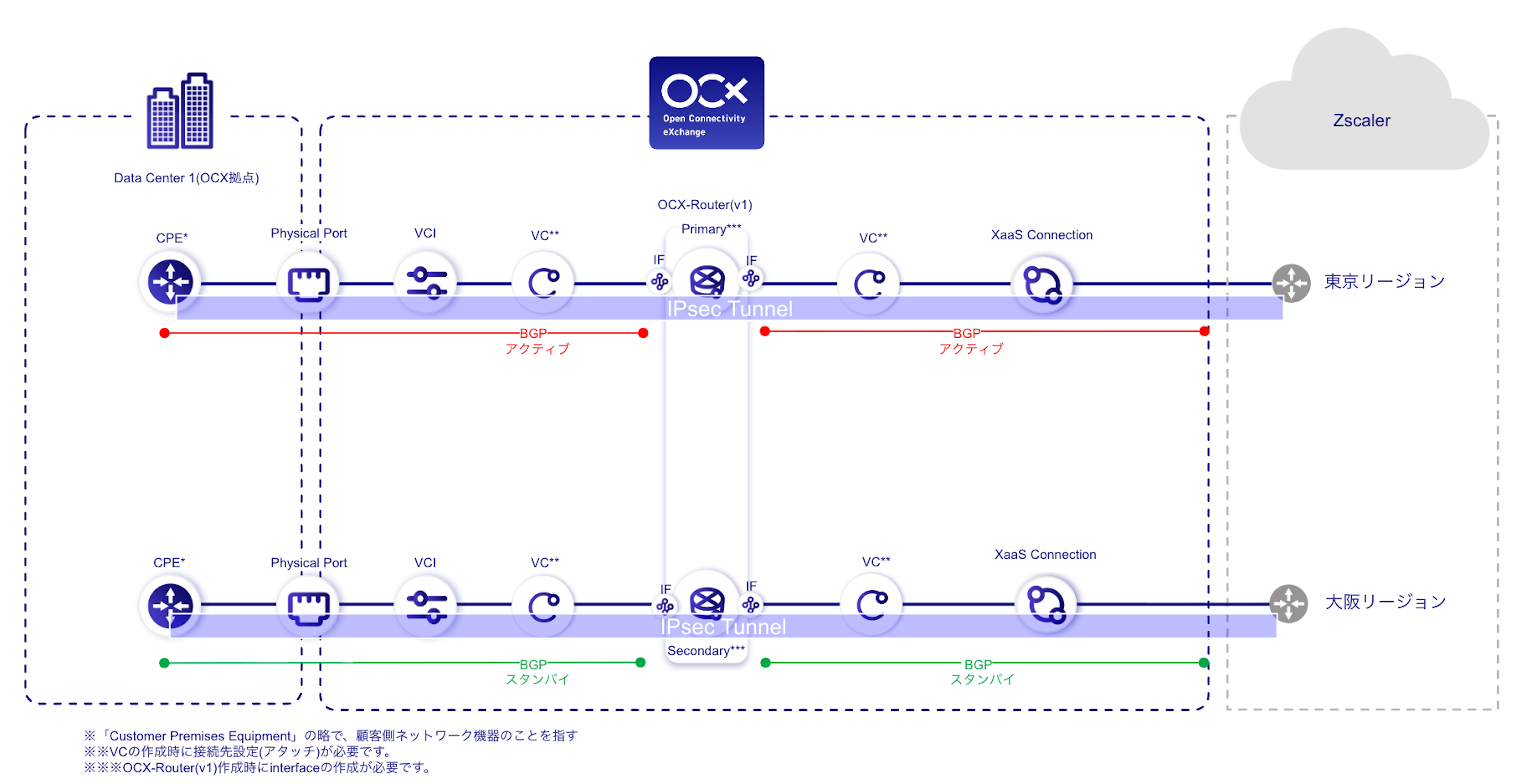
By using XaaS Connection, you can establish a connection from OCX to Zscaler.
OCX Resources
| Resource | Required Quantity |
|---|---|
| Physical Port | 2 |
| VCI | 2 |
| XaaS Connection (Zscaler) | 2 |
| Virtual Circuit (VC) | 4 |
| OCX-Router (v1) | 1 (Consisting of 2 instances) |
| Interface (Router Connection) | 4 |
Structure
Configuration Diagram (Via Application/Client Connector)
Configuration Diagram (Via IPsec)
Benefits
- Provides stable connectivity to Zscaler and optimizes network communication.
- Simplifies management by centralizing BGP settings on the OCX-Router.
- Enhances communication redundancy by implementing an East-West (Tokyo-Osaka) redundant configuration.
- Easy setup is possible by utilizing the Zscaler Client Connector (ZCC).
- Higher levels of security can be achieved by utilizing IPsec.
Notes
- Ensure that AS numbers and network segments do not overlap in your design.
- For terms and conditions regarding the use of XaaS, please contact the respective service provider.
- When connecting via the application, a separate connection to DNS is required (e.g., via internet connection or private DNS).
- An East-West redundant configuration is required to meet the SLA standards for XaaS Connection.
- XaaS Connection does not support IPv6.
- Routing control, including IPsec VPN settings and redundant configurations, must be designed and configured by the customer within their own environment.
- GRE tunnel configurations are not supported.
- XaaS Connection does not support ZPA (Zscaler Private Access). If you wish to use ZPA, please use the Internet Gateway.