Connection with SaaS
Problem to Solve
Accessing SaaS applications like Microsoft 365 through the OCX private network.
Solution with OCX
By using XaaS Connection, you can connect to SaaS providers supported by OCX. To add a new SaaS connection, simply create an additional XaaS Connection and configure the BGP settings on the OCX-Router.
OCX Resources
| Resource | Required Quantity | Required Qty (East-West Redundancy) |
|---|---|---|
| Physical Port | 2 | 2 |
| VCI | 2 | 2 |
| XaaS Connection (SaaS) | 1 | 2 |
| Virtual Circuit (VC) | 4 | 5 |
| OCX-Router (v1) | 1 (2 instances) | 1 (2 instances) |
| Interface (Router Connection) | 6 | 6 |
Structure
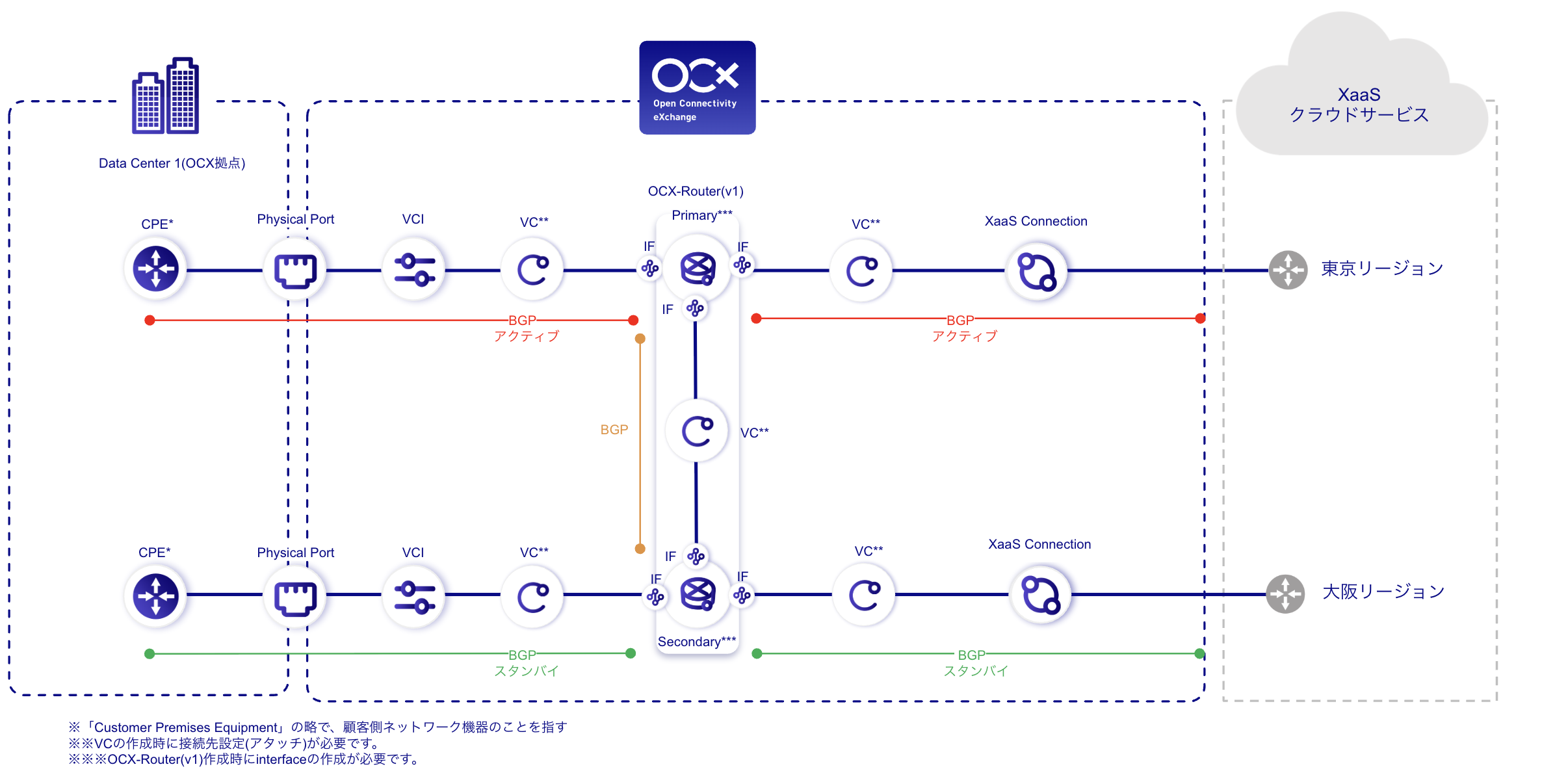
Conceptual Diagram
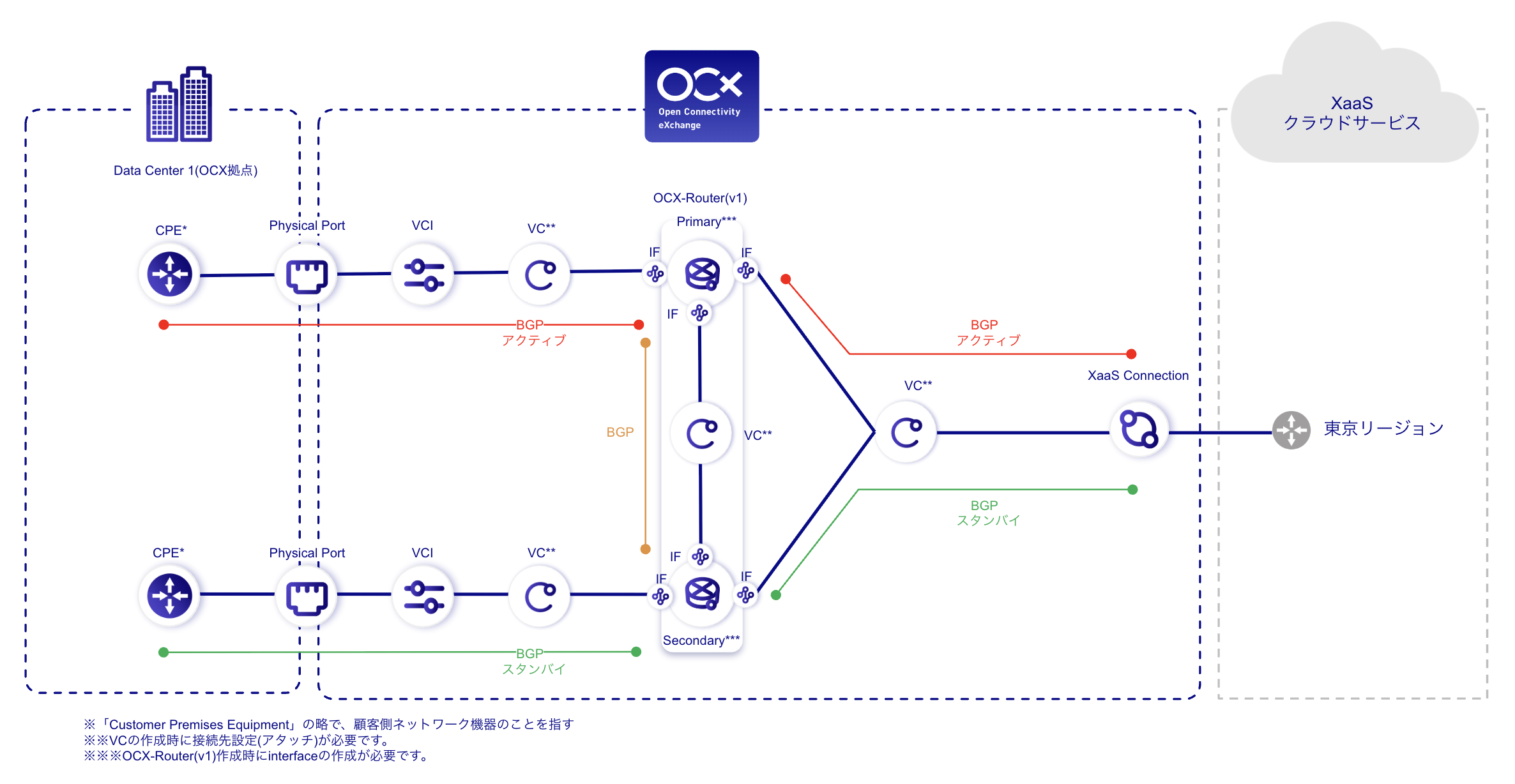
Conceptual Diagram (East-West Redundancy)
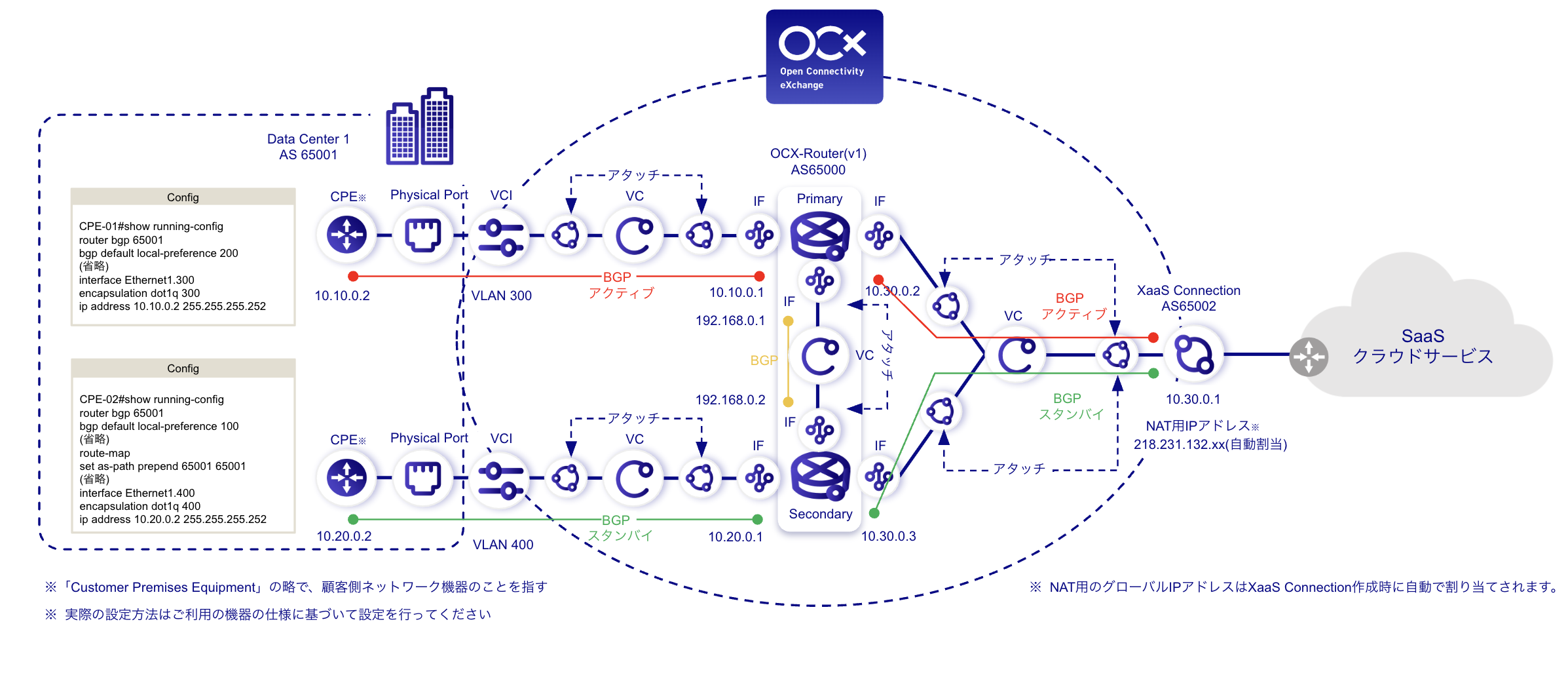
Detailed Configuration Diagram
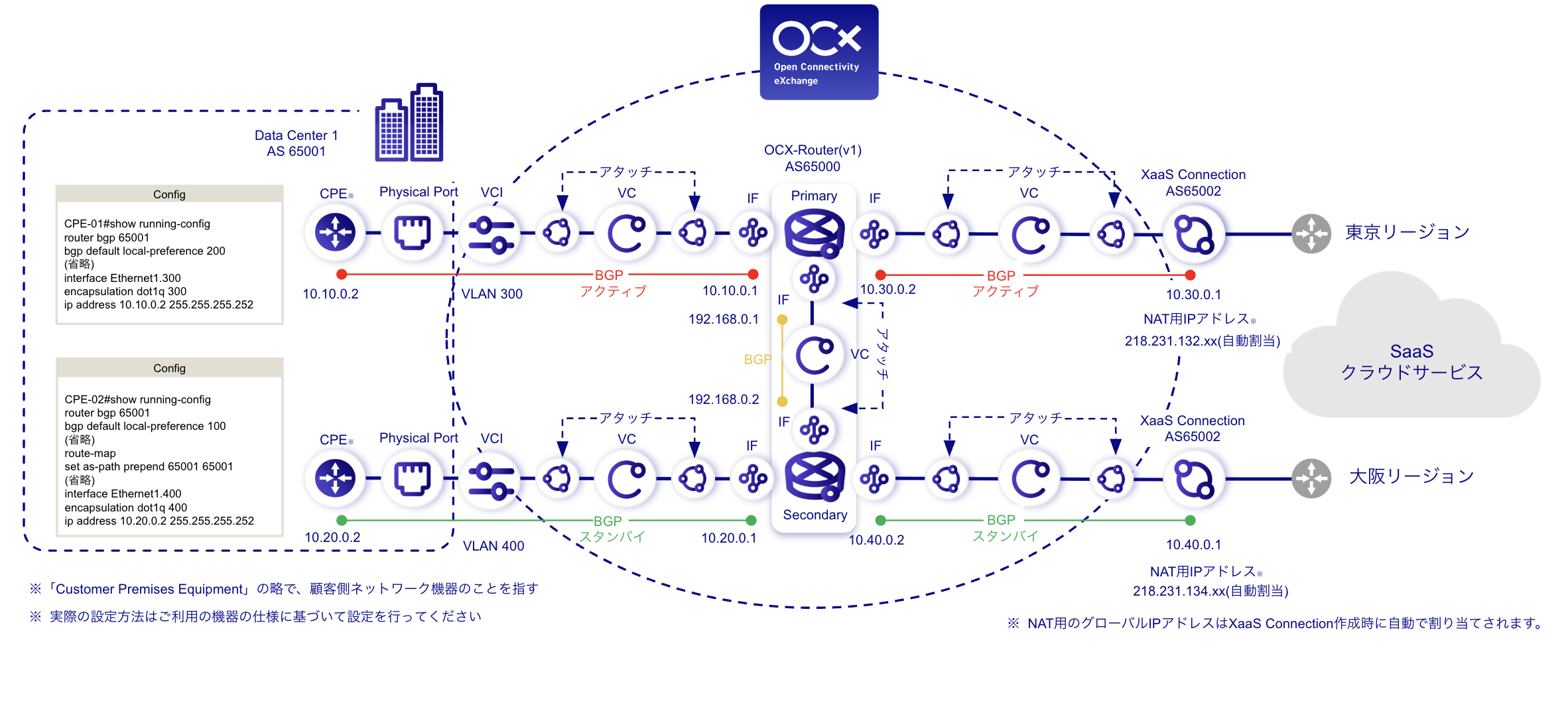
Detailed Configuration Diagram (East-West Redundancy)
Benefits
- Provides stable connectivity to SaaS and optimizes network traffic.
- Simplifies configuration by centralizing BGP settings on the OCX-Router.
- Enhances communication redundancy to SaaS by implementing an East-West (Tokyo-Osaka) redundant configuration.
Notes
- Ensure that AS numbers and network segments do not overlap.
- For terms and conditions regarding SaaS usage, please contact the respective SaaS provider.
- A separate connection to DNS is required (e.g., via internet connection or private DNS).
- An East-West redundant configuration is required to meet the SLA standards for XaaS Connection.
- Some SaaS providers may not support East-West redundant configurations.
- The recommended session limit per NAT IP address is approximately 62,000 sessions.
- If the number of sessions increases, consider adding additional NAT IP addresses.
- XaaS Connection does not support IPv6.