Inter-site and Cloud Connection using OCX Hikari Private
Problems to be Solved
To connect between sites and to cloud services such as AWS over a private network without going through the Internet, by accessing OCX from an optical fiber line.
Solutions with OCX
For inter-site connections, private network connectivity can be achieved using the Tunnel Gateway of OCX Hikari Private. For connections to cloud services such as AWS, private network connectivity can be achieved by combining the Tunnel Gateway of OCX Hikari Private with Cloud Connection.
OCX Resources
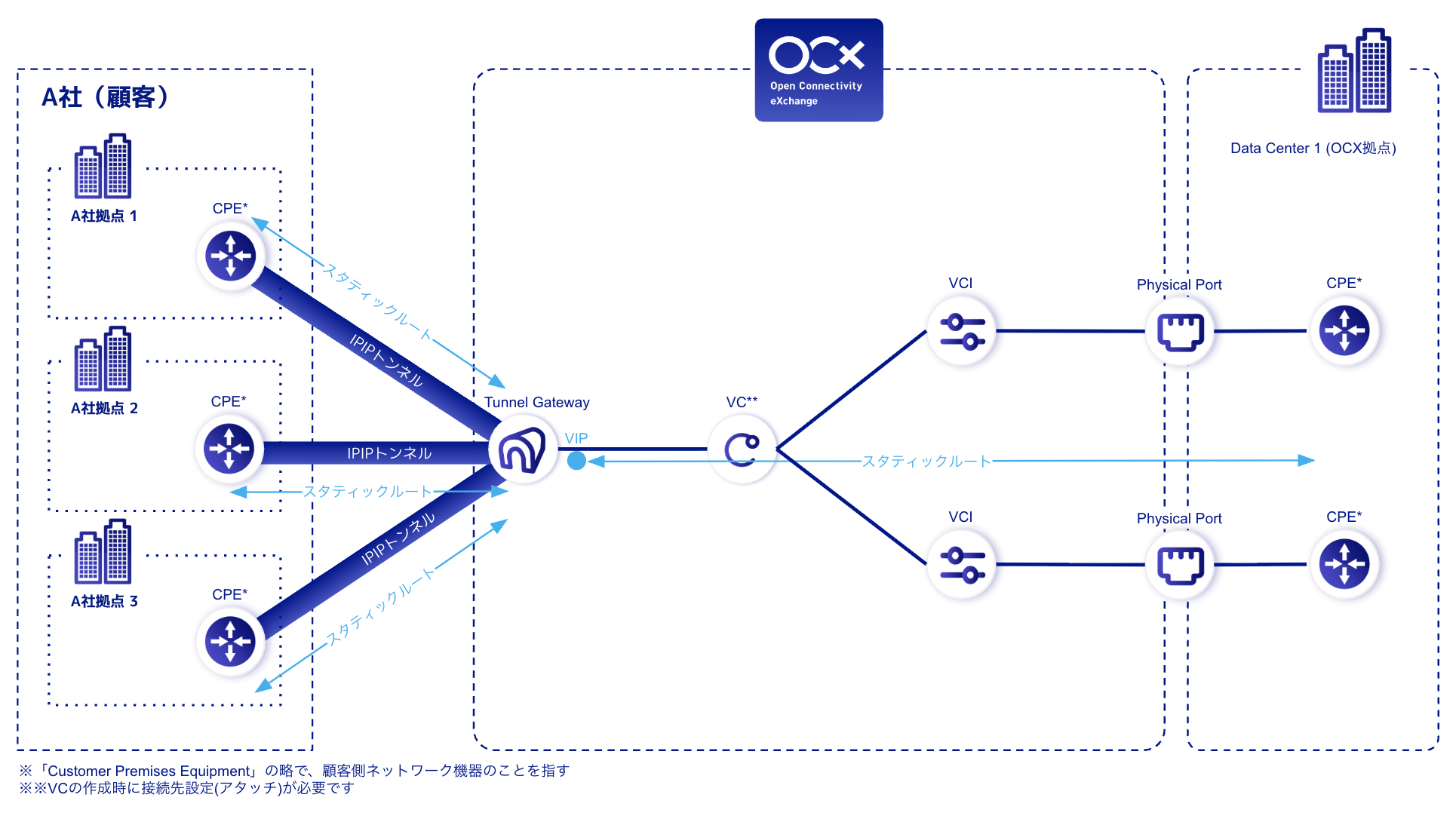
Inter-site Connection (Multi-site Connection)
- The number of required resources varies depending on the number of connected sites.
| Resource | Required quantity |
|---|---|
| Tunnel Gateway | 1 |
| VC | 1 |
| PhysicalPort | 2 |
| VCI | 2 |
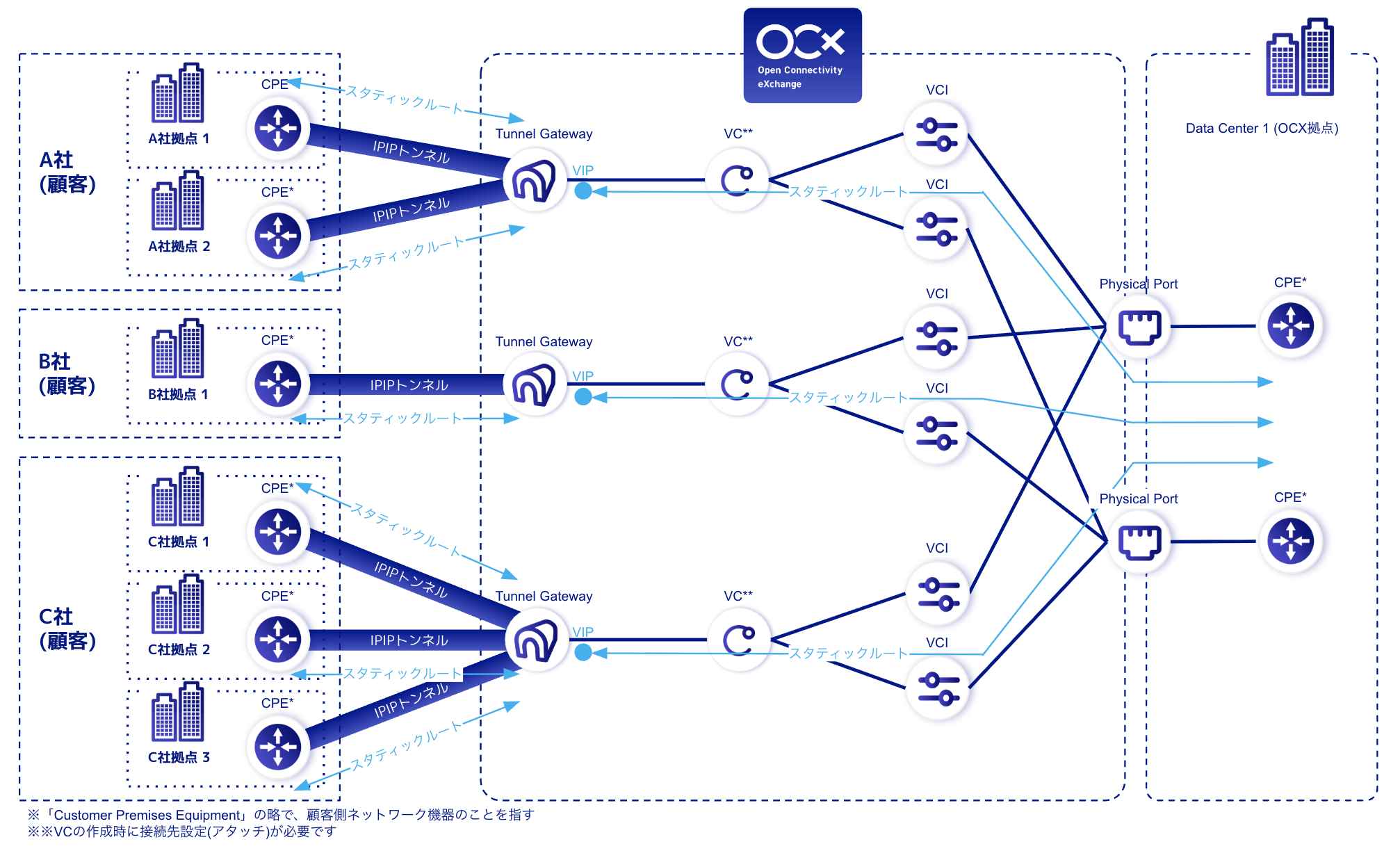
Inter-site Connection (Multi-company & Multi-site Connection)
- The number of required resources varies depending on the number of connected sites and companies.
| Resource | Required quantity |
|---|---|
| Tunnel Gateway | 3 |
| VC | 3 |
| PhysicalPort | 2 |
| VCI | 6 |
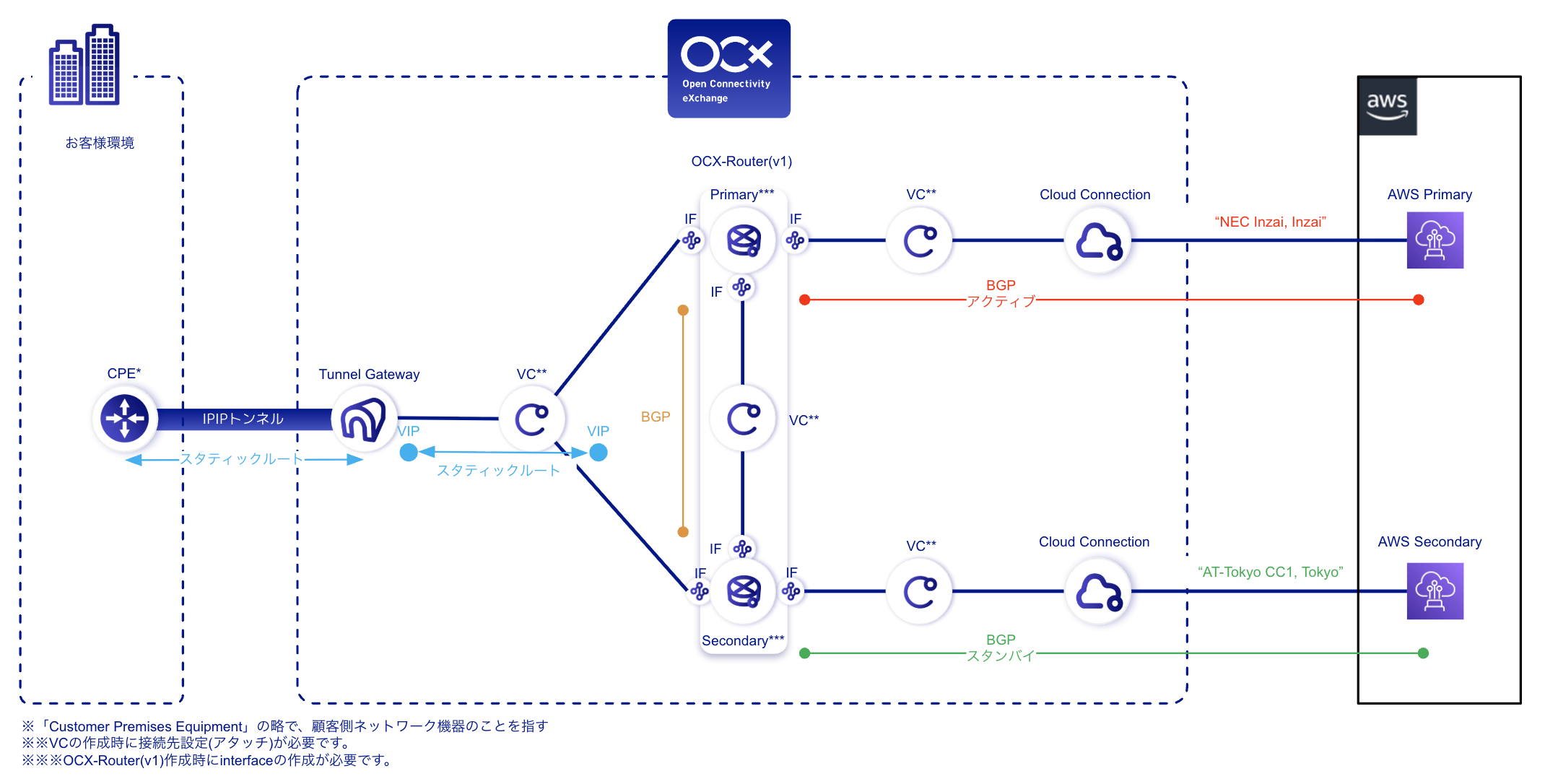
Connection with AWS
| Resource | Required quantity |
|---|---|
| Tunnel Gateway | 1 |
| VC | 4 |
| CloudConnection | 2 |
| OCX-Router(v1) | 1 (2 instances) |
| Interface(RouterConnection) | 6 |
Structure
Overview Diagram (Inter-site Connection (Multi-site Connection))
Overview Diagram (Inter-site Connection (Multi-company & Multi-site Connection))
Overview Diagram (Connection with AWS)
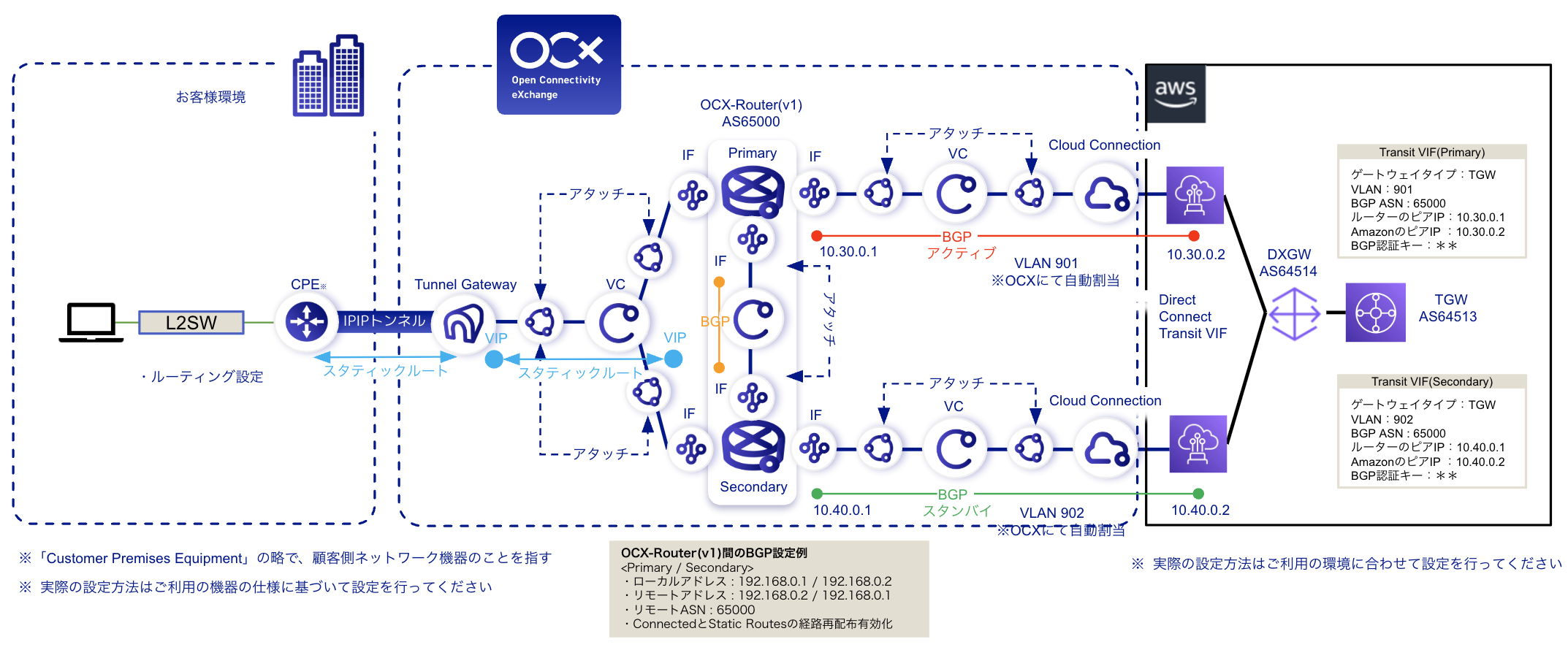
Detailed Diagram (Connection with AWS)
Benefits
- Private connections from each site to other sites are possible without going through the Internet.
- Private connections from each site to cloud services are possible without going through the Internet.
- Private connections between sites and to the cloud can be achieved via the FLET'S network from an optical fiber line, without the need to prepare dedicated leased lines.
Notes
- Depending on the location of the failure, automatic BGP switching between OCX-Router(v1) and the cloud may not work, and rerouting to the backup route may not occur. For details, please refer to the notes in Using VRRP with OCX-Router(v1). Please fully understand the mechanism and verify it through failover tests before considering its adoption.
- Tunnel Gateway is configured with redundancy by default and is provided to users as a single gateway; therefore, a VIP (Virtual IP Address) is assigned at the time of creation.
- This configuration diagram is intended to clarify the required OCX resources, configuration points, and overall architecture. For aspects outside the scope of OCX services—such as CPE-side configurations—please plan and design them on your end. For supported CPEs and configuration examples when using OCX Hikari Private, please refer to Supported CPEs and Configuration Overview.
- Routing and other route control settings are the customer's responsibility.
- When using OCX-Router(v1) for a cloud connection, please turn on route redistribution for Connected and Static Routes.
- If the public cloud has a limit on the number of routes it can receive, or if the number of exchanged routes exceeds this limit, please consider using the route aggregation function on OCX-Router(v1) to aggregate your routes.