Connection with SaaS / IaaS
For the target services, please refer to the Overview of XaaS Connection.
Problem to Solve
Accessing SaaS or IaaS through the OCX private network.
Solution with OCX
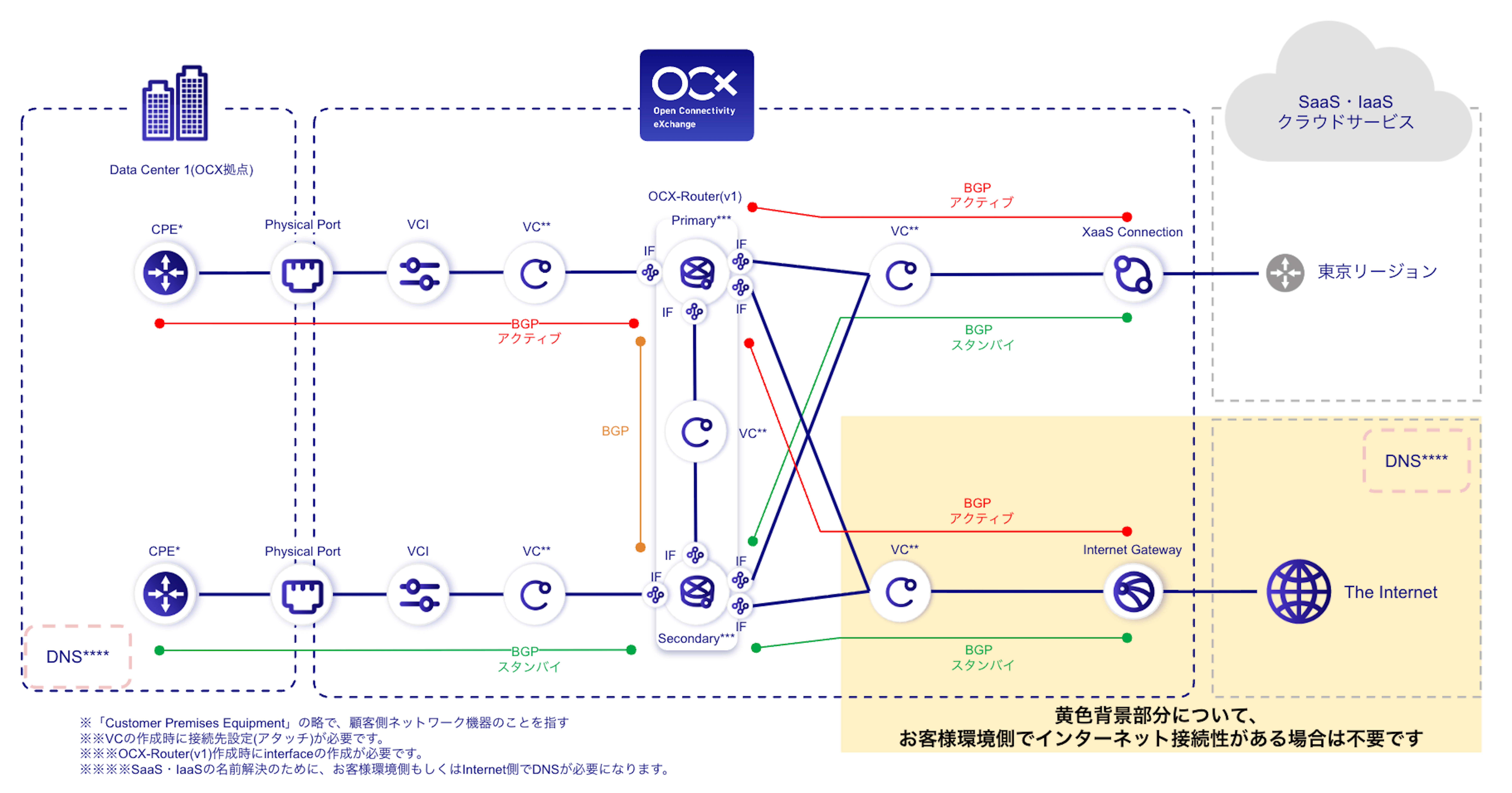
By using XaaS Connection, you can connect to SaaS and IaaS providers supported by OCX.
To add a new connection, simply create an additional XaaS Connection and configure the BGP settings on your equipment or the OCX-Router (v1).
OCX Resources
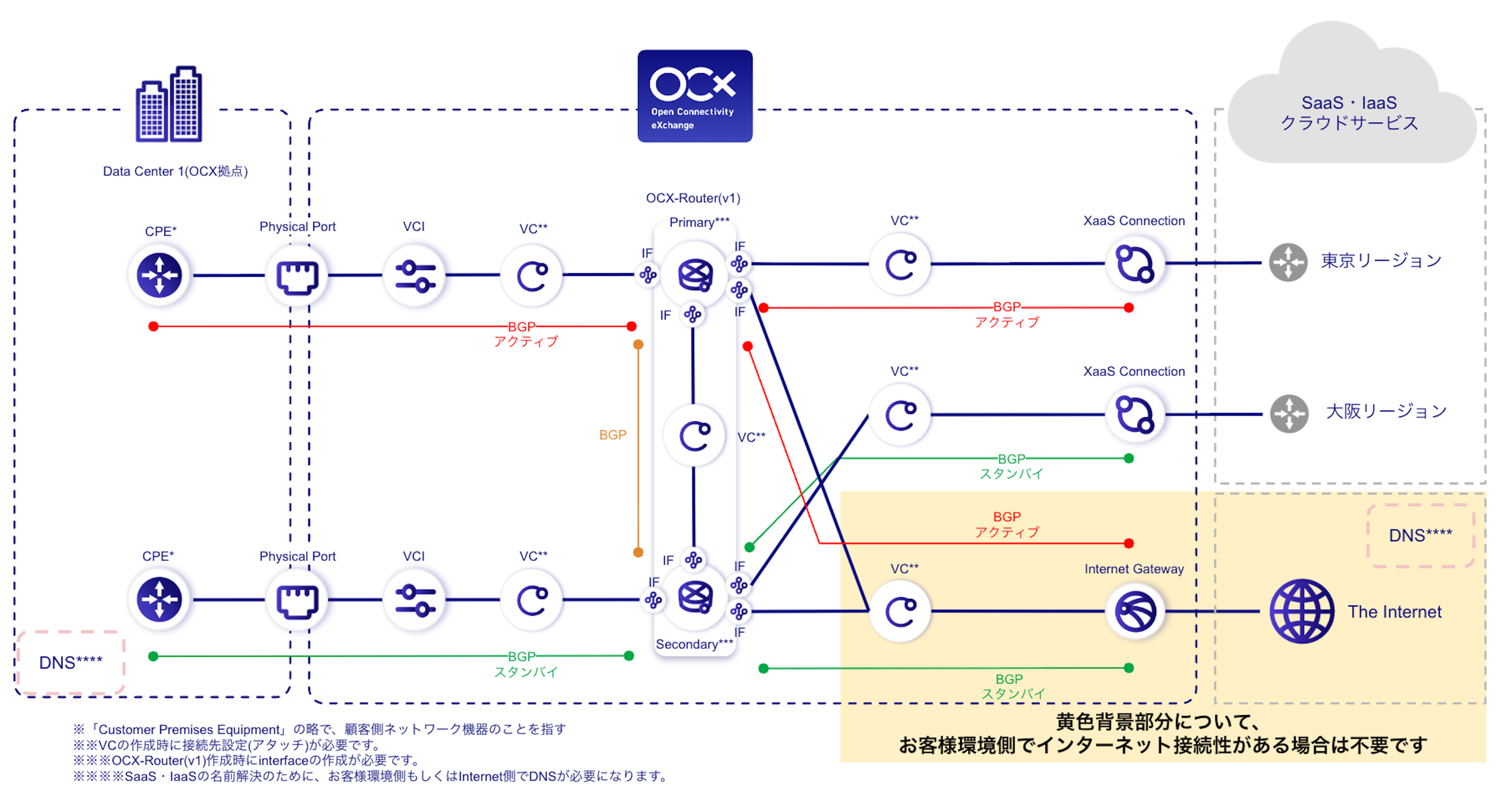
| Resource | Required Quantity | Required Quantity (East-West Redundant) |
|---|---|---|
| Physical Port | 2 | 2 |
| VCI | 2 | 2 |
| XaaS Connection | 1 | 2 |
| Virtual Circuit (VC) | 5 ※1 | 6 ※1 |
| OCX-Router (v1) | 1 (2 instances) | 1 (2 instances) |
| Interface (Router Connection) | 8 ※1 | 8 ※1 |
| Internet Gateway | 1 ※1 | 1 ※1 |
※1 If your environment already has internet connectivity, the required quantity is reduced.
Structure
Conceptual Diagram
Conceptual Diagram (East-West Redundancy)
Benefits
- Provides stable connectivity to SaaS and IaaS, and optimizes network traffic.
- Simplifies configuration by centralizing BGP settings on the OCX-Router (v1).
- Enhances communication redundancy to SaaS and IaaS by implementing an East-West (Tokyo-Osaka) redundant configuration.
Notes
- Ensure that AS numbers and network segments do not overlap in your design.
- For terms and conditions regarding the use of each service, please contact the respective service provider.
- A separate connection to DNS is required (e.g., via internet connection or private DNS).
- If you use XaaS Connection(Google Cloud), setting the DNS destination to Google Public DNS means there is no need to prepare a separate DNS server.
- An East-West redundant configuration is required to meet the SLA standards for XaaS Connection. For SLA applicability of each service, please refer to the Overview of XaaS Connection.
- Some services may be out of SLA scope or may not support East-West redundant configurations.
- The recommended session limit per NAT IP address is approximately 62,000 sessions.
- If the number of sessions increases, consider adding additional NAT IP addresses.